Custom system · Inventory & sales
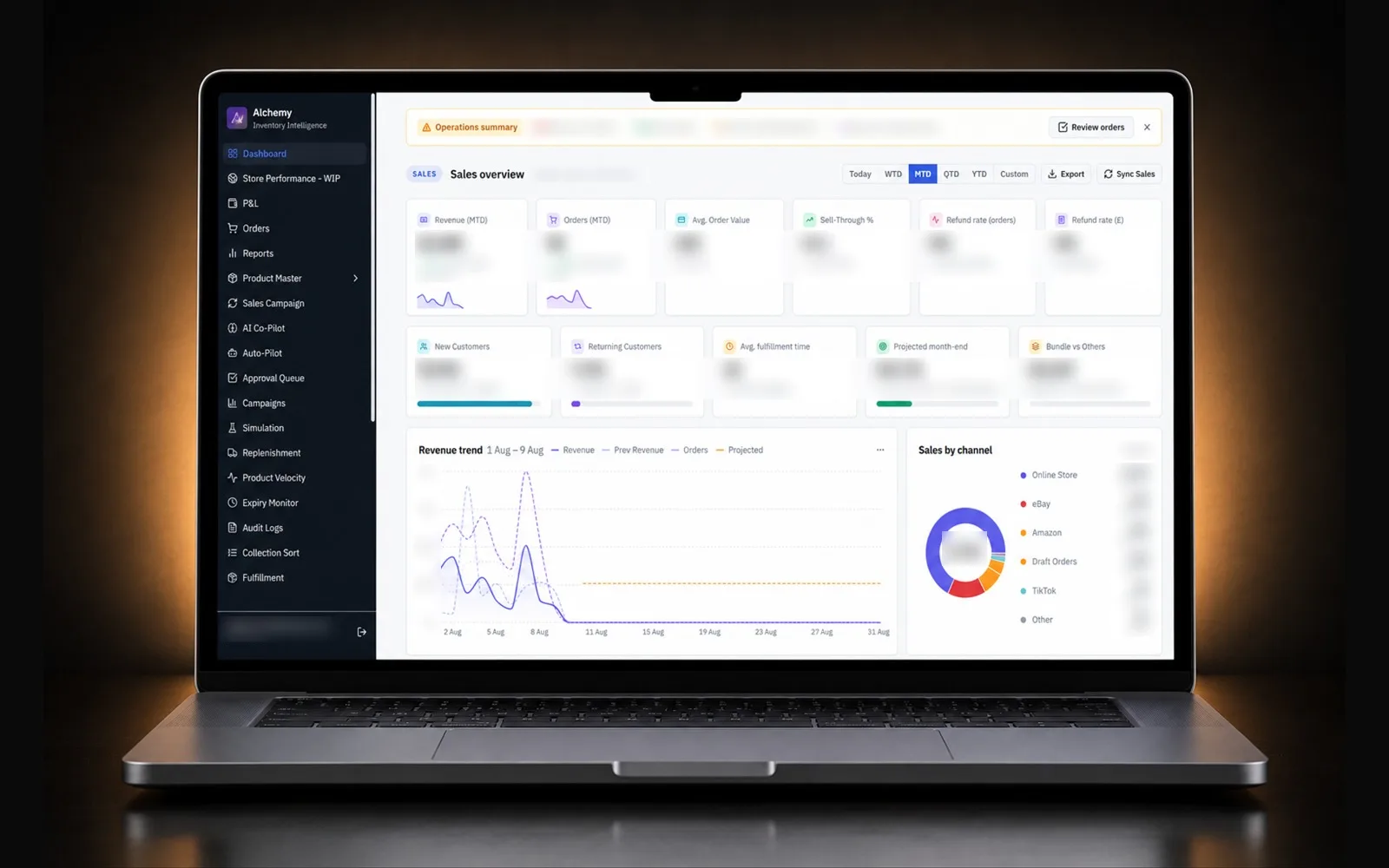
One inventory dashboard for four Shopify stores, with no monthly bill.
Stock by store and location, a ledger of every change, sales and dead-stock reports, all in one place, built around how the team actually works.
Built for Darussalam · Islamic publisher, 4 Shopify stores: UK, Pakistan, Saudi Arabia, UAE
One-time build from $300. No app subscription. You own the code.
Why they came to us
In the client's own words.
We run four Shopify stores in four countries. Checking stock meant opening four admins and a spreadsheet.
I went through the Shopify App Store. The good inventory apps charge every month, per store, and the price climbs with our sales.
Even the expensive ones didn't show what I needed: who changed stock, why, and which titles haven't sold in months.
I wanted one screen my team actually uses, and I didn't want to rent it forever.
See it in action
How the inventory dashboard works, day to day.
- 1
Step 1
Open one dashboard, see every store
All four stores load in one view: stock health, sales for the period and the channels that sold, with shipping included or excluded at a click.
- 2
Step 2
Drill into a location
Pick a store or warehouse and see every product with its stock and days of cover based on the last 30 days of sales. Export the matrix to a spreadsheet in one click.
- 3
Step 3
Adjust stock with a reason
A team member changes a quantity and picks a reason: damaged, returned, recount, transfer. The change goes to Shopify and into the ledger with their name and the time.
- 4
Step 4
Trace any change later
Open the ledger and filter by product, store or person to see exactly who changed what, when and why.
- 5
Step 5
Act on dead stock
The dead-stock report lists titles with no sales for months, so the team can plan clearance and bundles.
What the market charges
Renting it every month, or owning it once.
The same job with apps, per month
Cheapest stack
~$59 per store · ~$236/mo for 4 stores
- RestockFree (under $5k revenue/mo)$0
- Multi-Store Sync PowerSilver$19.99
- GoProfitStarter$29
- NA Bulk Price EditorBasic$9.95
Typical stack
~$243 per store · ~$972/mo for 4 stores
- Prediko$100K–$500K sales$119
- SyncioTraction (+ add-ons)$29
- Inventory History GuardianStandard$19.99
- TrueProfitAdvanced$60
- NA Bulk Price EditorStandard$14.95
App Store apps are billed per store, so four stores means four bills. None of them shows all four stores' stock, change history and profit in one dashboard.
Prices from each app's Shopify App Store listing or the vendor's pricing page, checked 26 October 2026, monthly billing unless noted. Tap an app to check it yourself.
Our model
One-time buildfrom $300
No monthly app subscription. Scope and final price agreed before work starts.
Running cost: Hosting and database, about $45/mo on professional plans (Vercel Pro $20 + Supabase Pro $25).
- Built around your exact workflow
- You own the code and the data
- Additions and revisions quoted separately, only when you need them
- modules, from stock to pricing to P&L
- 38modules, from stock to pricing to P&L
- Shopify stores in one dashboard
- 4Shopify stores in one dashboard
- app subscriptions, for all 4 stores
- $0app subscriptions, for all 4 stores
- built section by section as the team needed it
- ~2 monthsbuilt section by section as the team needed it
What we built
Every pain point, answered.
- 01
Stock by location
Every store and warehouse side by side, with days of cover from the last 30 days of sales and a product × location matrix you can export.
- 02
Inventory ledger
Every stock change recorded: which product, which store, who did it, why and when. Replaces the team's manual sheets.
- 03
Sales pulse
Store performance by period and channel, with a switch to include or exclude shipping.
- 04
Dead stock & replenishment
Titles that stopped selling, and the ones about to run out, so buying and clearance decisions take minutes.
- 05
Staff accounts
Team login with roles, so everyone sees what they need and every action has a name on it.
- 06
Built to grow
New sections were added one by one as the business asked for them, without a new subscription each time.
Every module · 38 in total
Everything inside, A to Z.
Overview & sales
6Dashboard
Today across all four stores: sales, orders, stock health and the numbers that need attention.
Store Performance
Each store scored by factor for the period, so weak spots show up straight away.
Orders
Every order from every store in one searchable list.
Reports
Sales by period, channel and store, with shipping included or excluded.
P&L
Profit and loss per period, with costs entered alongside sales.
Discount Performance
How much each discount gave away and what it brought in.
Inventory
8Product Master
Every product and variant across stores, with stock and pricing actions.
Stock by Location
Every store and warehouse with days of cover and a product × location matrix.
Stock Operations
Receive, adjust, transfer and count stock; every change goes to Shopify and the ledger with a name.
Inventory Ledger
Every stock movement with its reason, reference and person.
Inventory Adjustments
History of every manual adjustment.
Inventory Reports
Stock movement, aging, ABC analysis and stock-out risk.
Inventory Alerts
Low-stock alerts and a daily summary sent to the team on ClickUp.
Expiry Monitor
Products approaching or past their expiry dates.
Buying & replenishment
6Replenishment
What to reorder, based on real sales speed.
Stock Transfers
Move stock between locations before buying more.
Draft PO
Purchase orders drafted straight from replenishment.
Product Velocity
Fastest movers, and the ones slowing down week on week.
Location Report
Sales and stock per location, including locations that stopped selling.
Dead Stock
Titles with no sales for months, ready for clearance or bundles.
Pricing & campaigns
6Sales Campaigns
A command centre for manual pricing campaigns.
AI Co-Pilot
Smart recommendations with predicted impact, priority scores and one-click actions.
Auto-Pilot
A visual rule builder with schedules, execution modes and safety guardrails.
Simulation
Compare pricing scenarios side by side with profit in view, then apply.
Approval Queue
Pricing campaigns reviewed and approved before they go live.
Campaigns
Every campaign in one place: manual, automated, AI-triggered and approved.
Bundles & order value
3Bundle Finder
Bundle ideas found in real orders: what customers already buy together.
Bundle Builder
Create and manage bundles across stores.
FBT Bundle Discount
Switch the Frequently Bought Together discount on or off and change the percentage.
Store operations
5Fulfillment
Order fulfilment status across stores.
Courier Reconciliation
Cash-on-delivery payments from the courier matched against orders.
Collection Sort
Keep in-stock products first in collections automatically.
SEO Audit
Product titles, descriptions and image alt text checked, with bulk fixes.
ClickUp Reports
Daily business reports delivered to the team in ClickUp.
Admin & control
4Stores
Connected stores and their sync settings.
Settings
Thresholds and business rules.
Audit Logs
A full history of every pricing and inventory action.
Staff login
Team accounts only; every action carries a name.
Under the hood
Built properly, and kept secure.
Architecture
- Shopify orders and inventory synced into Postgres by an edge function.
- Heavy totals computed in database functions, so the browser loads summaries, not raw rows.
- React front end with cached queries, deployed on Vercel.
Security
- Row-level security on every table, no anonymous access.
- Staff-only sign-in, sign-up switched off.
- Shopify and service keys server-side only.
Tech stack
- React
- TypeScript
- Supabase
- Postgres RPC
- Edge Functions
- Shopify Admin API
- Vercel
Build time: About 2 months, built feature by feature
More custom systems
Other things I've built from scratch.
Darussalam
WhatsApp CRM
A shared team inbox on the official WhatsApp Cloud API, with an AI assistant that checks live stock, tracks orders and hands over to a human when it should.
See the buildCakes by Shannon
Custom Cake Ordering App
Customers describe their dream cake, the baker sends a quote, the deposit and balance are paid through Shopify, and every order's status is tracked in one place.
See the buildMuslim Creator Network
Creator Management Platform
A public website, a creator portal and an admin portal on one app: applications, verification, campaigns, assignments and payments, in three languages.
See the buildPOSTED
Subscription Operations Backend
Every paid Shopify order becomes a membership with its monthly letters, recipients, labels, renewals and refunds, managed inside Shopify Admin.
See the buildFPT Sportz
Jersey Personalizer
Shoppers pick a player or type their own name and number, and watch it appear on the real jersey in the club's own lettering, shaded into the fabric, not pasted on top.
See the build
Start a project
Get a free audit of your store.
Send your store link and what you're aiming for. Within 48 hours you'll get a short video with the biggest wins for conversion and speed. No obligation.
What you get, free
- Your top 3 conversion leaks, with fixes
- Mobile speed check and what's slowing it
- A clear quote if you want me to do the work