Custom system · WhatsApp & AI
A WhatsApp CRM that knows your store, and answers like your best staff.
A shared team inbox on the official WhatsApp Cloud API, with an AI assistant that checks live stock, tracks orders and hands over to a human when it should.
Built for Darussalam · 4 Shopify stores, one shared WhatsApp inbox
One-time build from $100. No app subscription. You own the code.
Why they came to us
In the client's own words.
Our team answers hundreds of WhatsApp messages a day, mostly the same questions: is this in stock, where is my order.
The WhatsApp tools I found charge monthly, cap how many of my team can log in, and charge extra just to connect Shopify.
None of them could look at a photo of a book cover and tell the customer if we have it.
I wanted something that works for all four stores, speaks like us, and doesn't charge more every time the team grows.
See it in action
How the WhatsApp CRM works, day to day.
- 1
Step 1
See the day at a glance
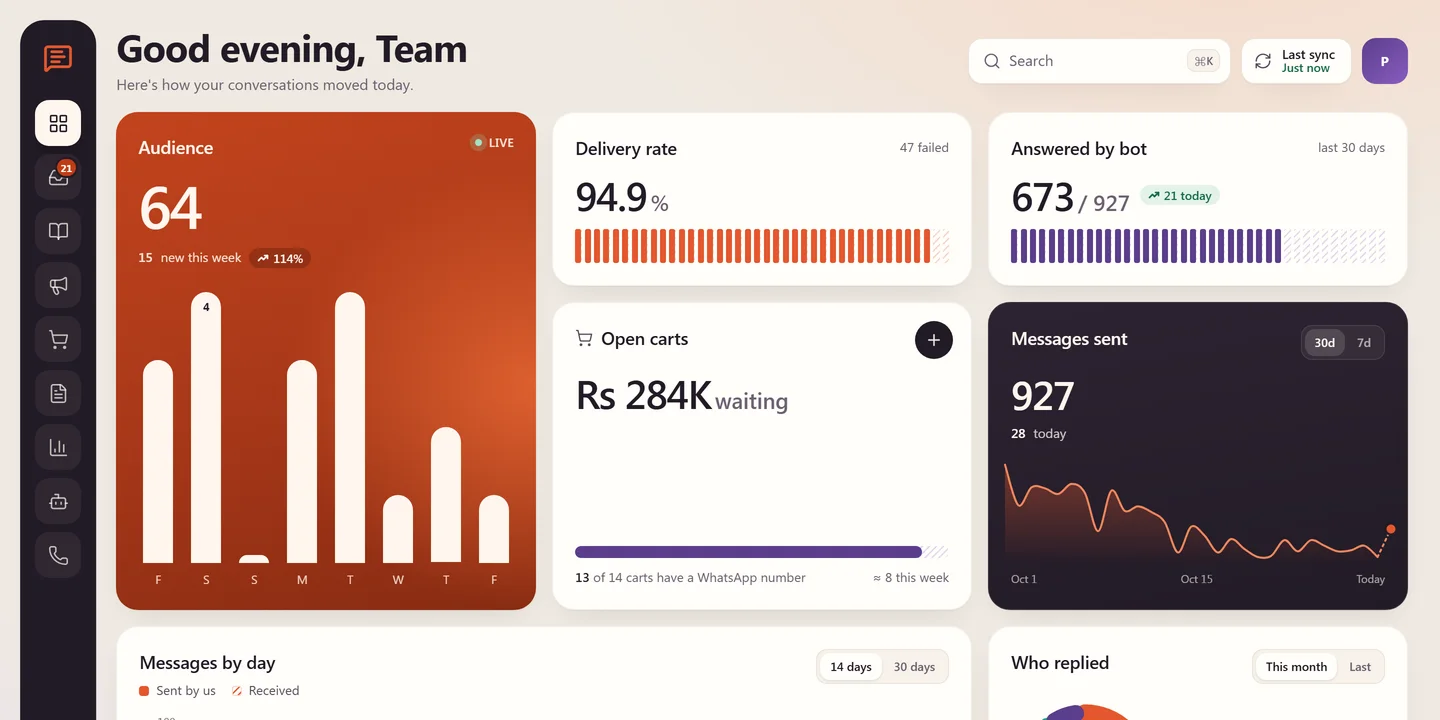
The overview opens on today: new contacts, delivery rate, how many chats the bot answered, carts waiting at checkout and messages sent.
WhatsApp CRM · Overview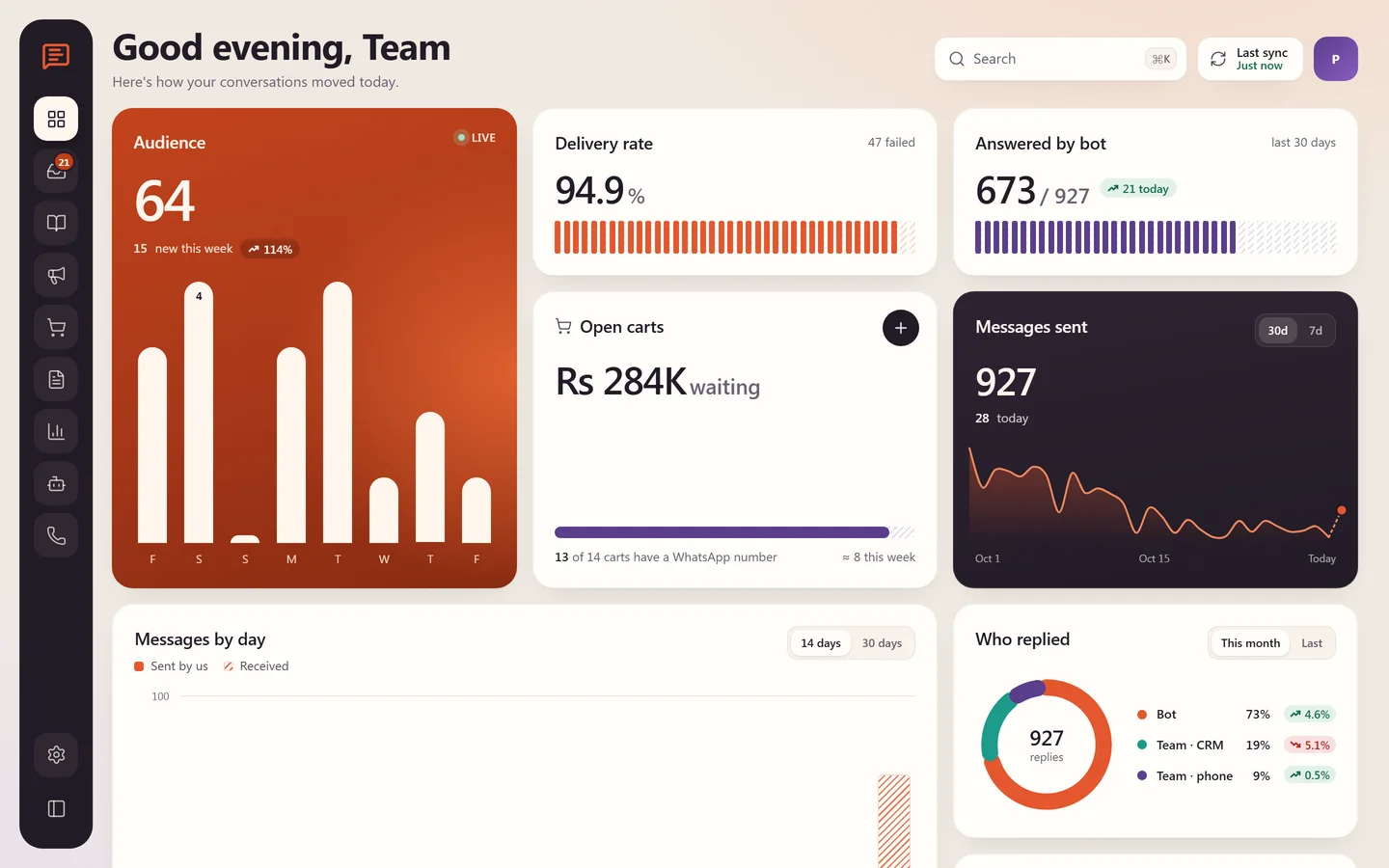
- 2
Step 2
A customer messages the store
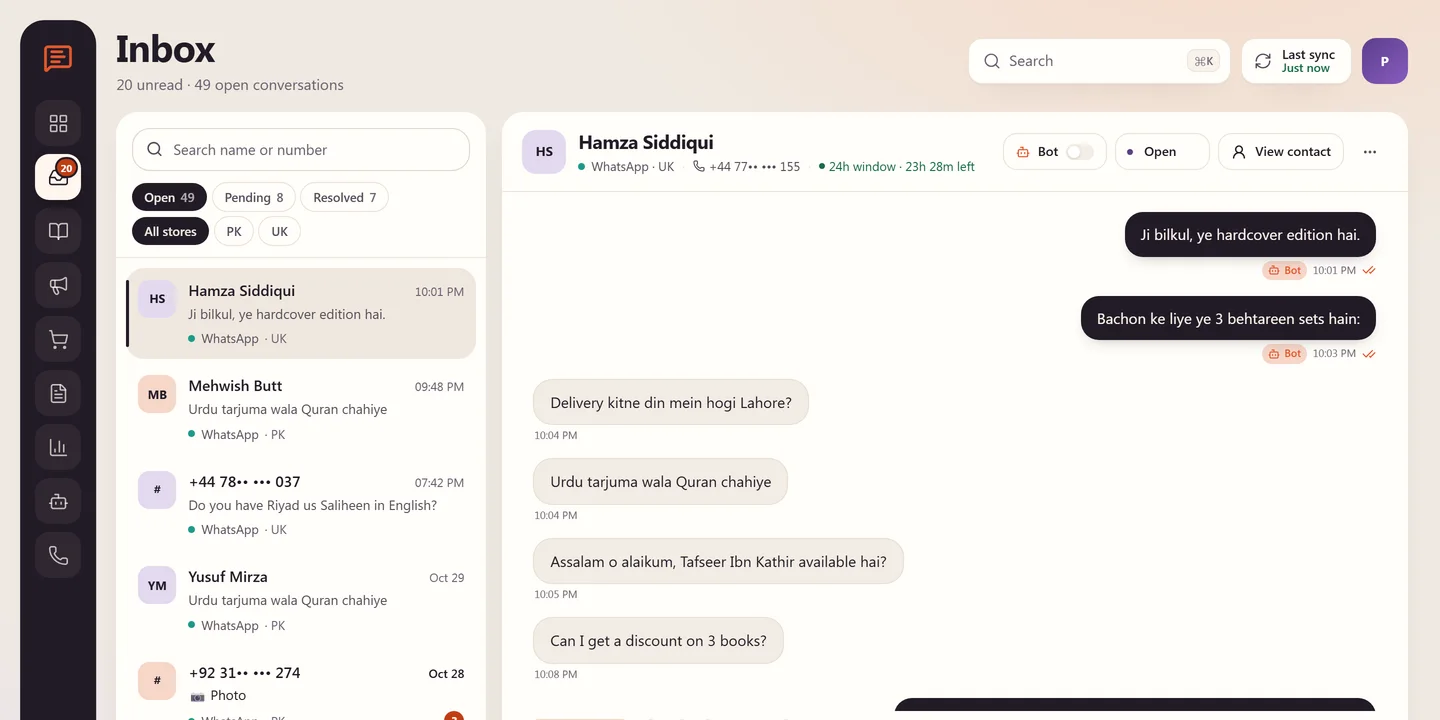
"Do you have this book in stock?" The chat lands in the shared inbox for the right store, with the 24-hour reply window counting down and quick replies one tap away.
WhatsApp CRM · Inbox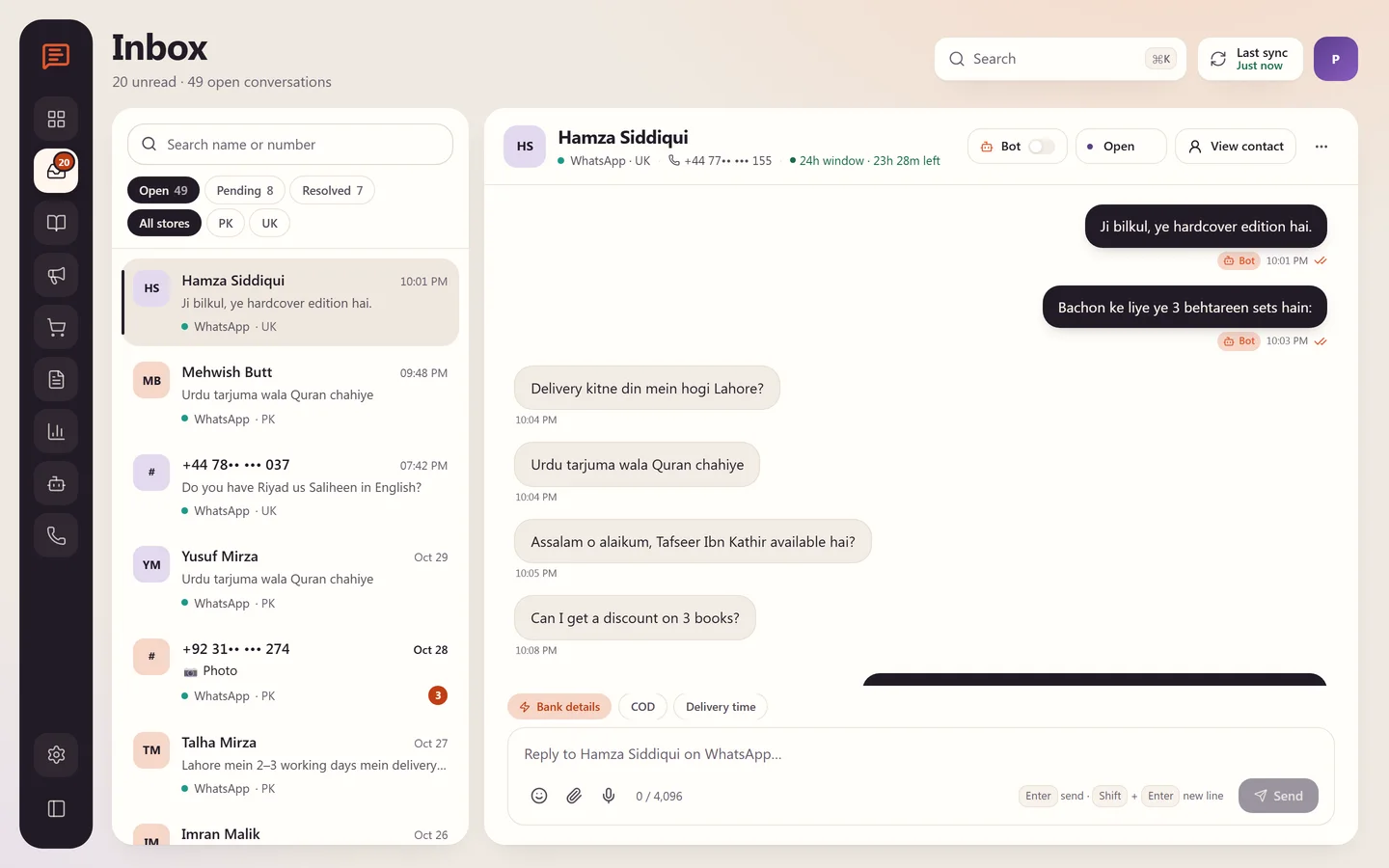
- 3
Step 3
The AI assistant answers
It searches the live catalogue, replies with stock, price and rating, and sends a checkout link. The team can pause it, test it on chosen numbers and get alerts, without a developer.
WhatsApp CRM · Bot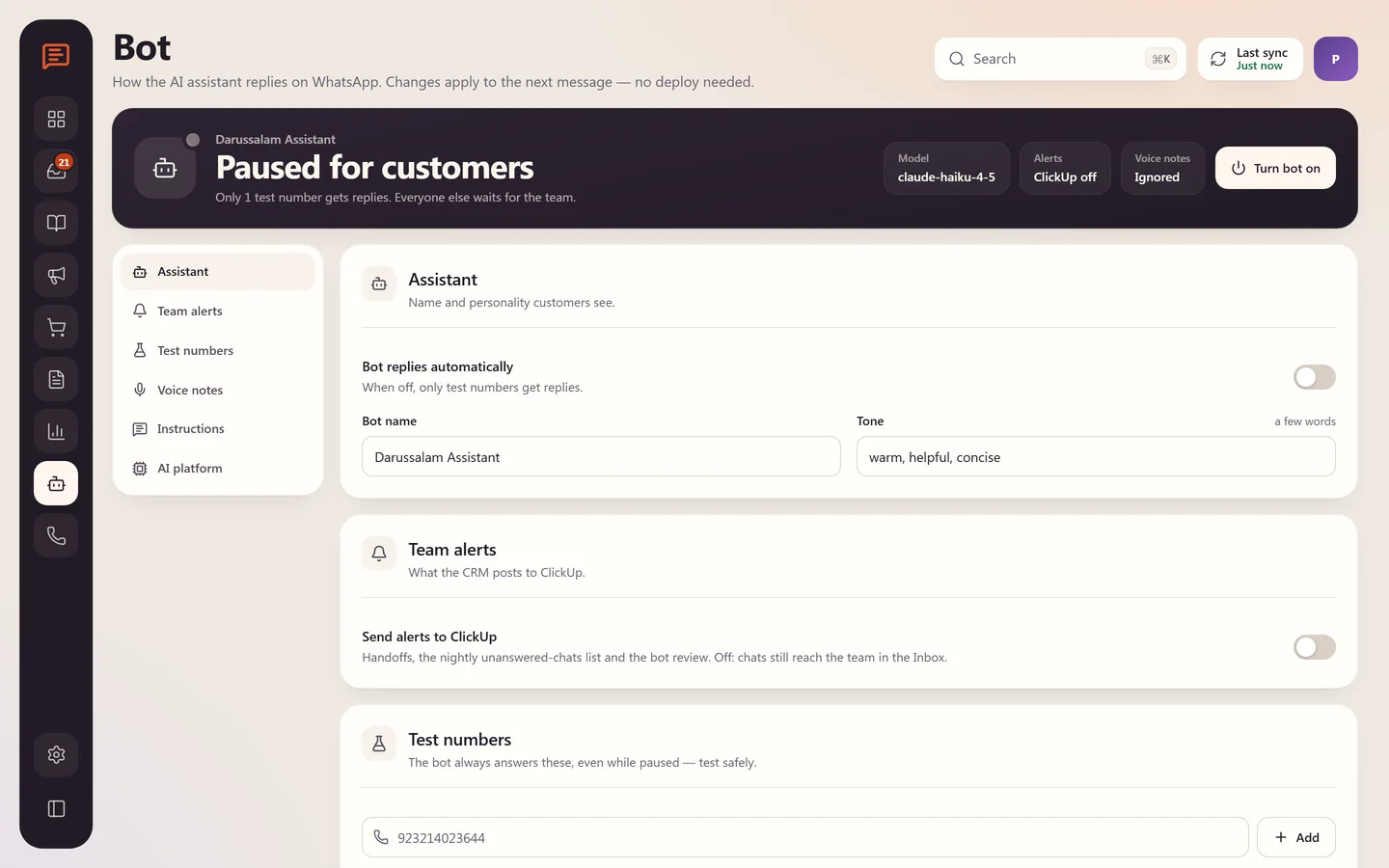
- 4
Step 4
The catalogue, inside the CRM
Every book synced from Shopify with stock and sale prices, so the team can send the right product without leaving the chat.
WhatsApp CRM · Products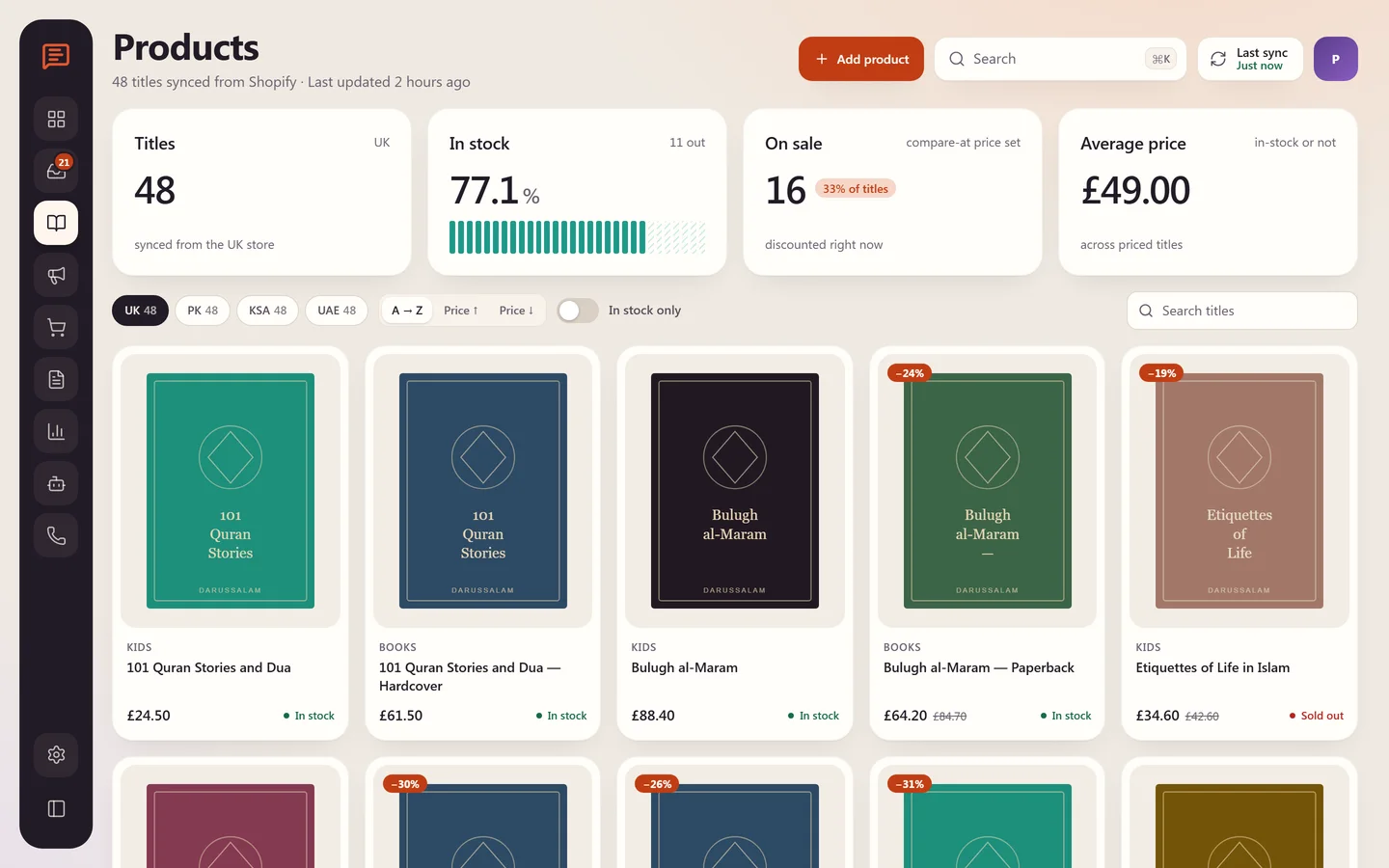
- 5
Step 5
Win back abandoned carts
Checkouts left behind show up with their value and the customer's WhatsApp number. One click sends a reminder with their own cart link.
WhatsApp CRM · Abandoned carts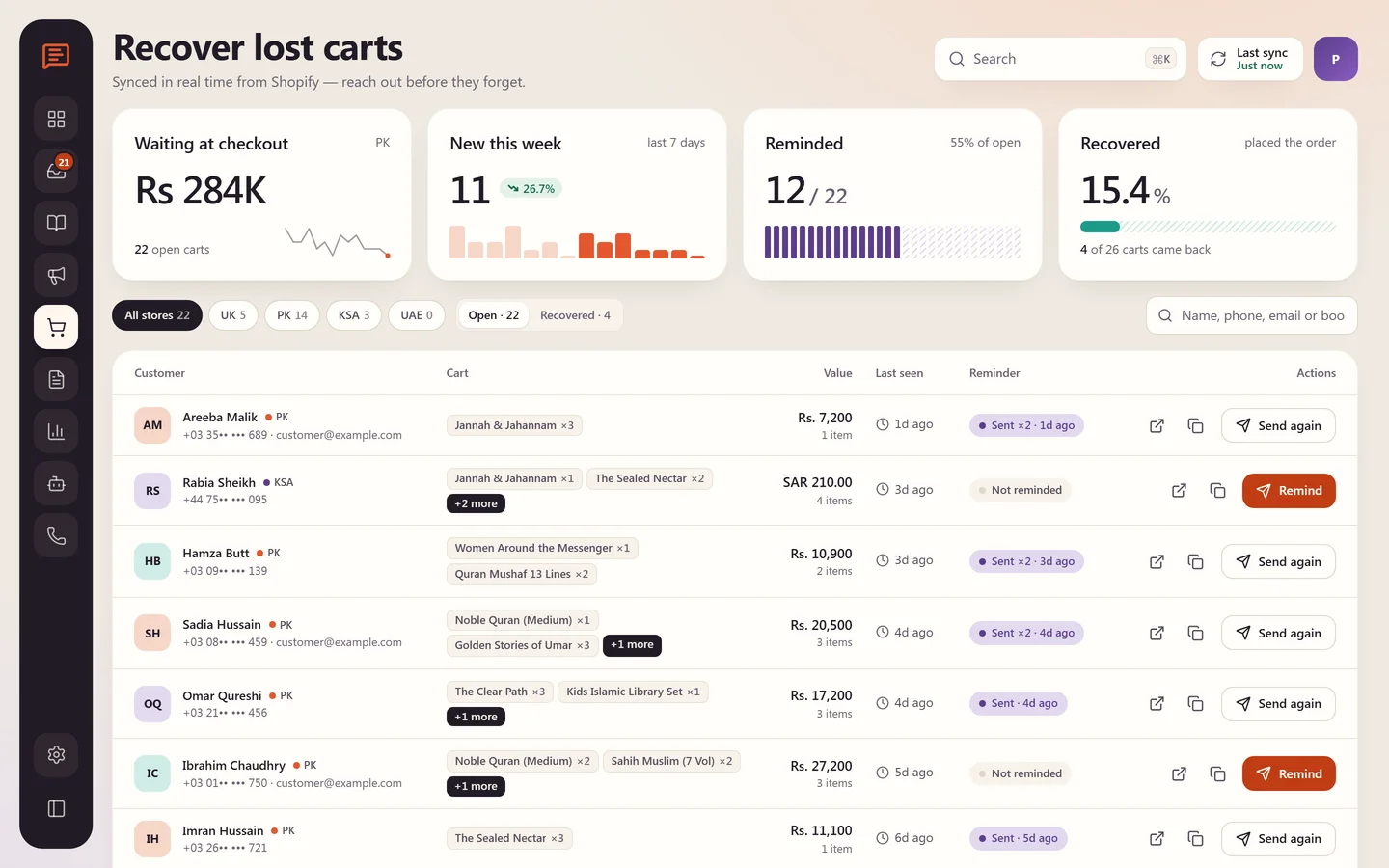
- 6
Step 6
Campaigns on approved templates
Broadcasts go out on Meta-approved templates to a chosen audience, with sent, delivered and failed counts for every campaign.
WhatsApp CRM · Campaigns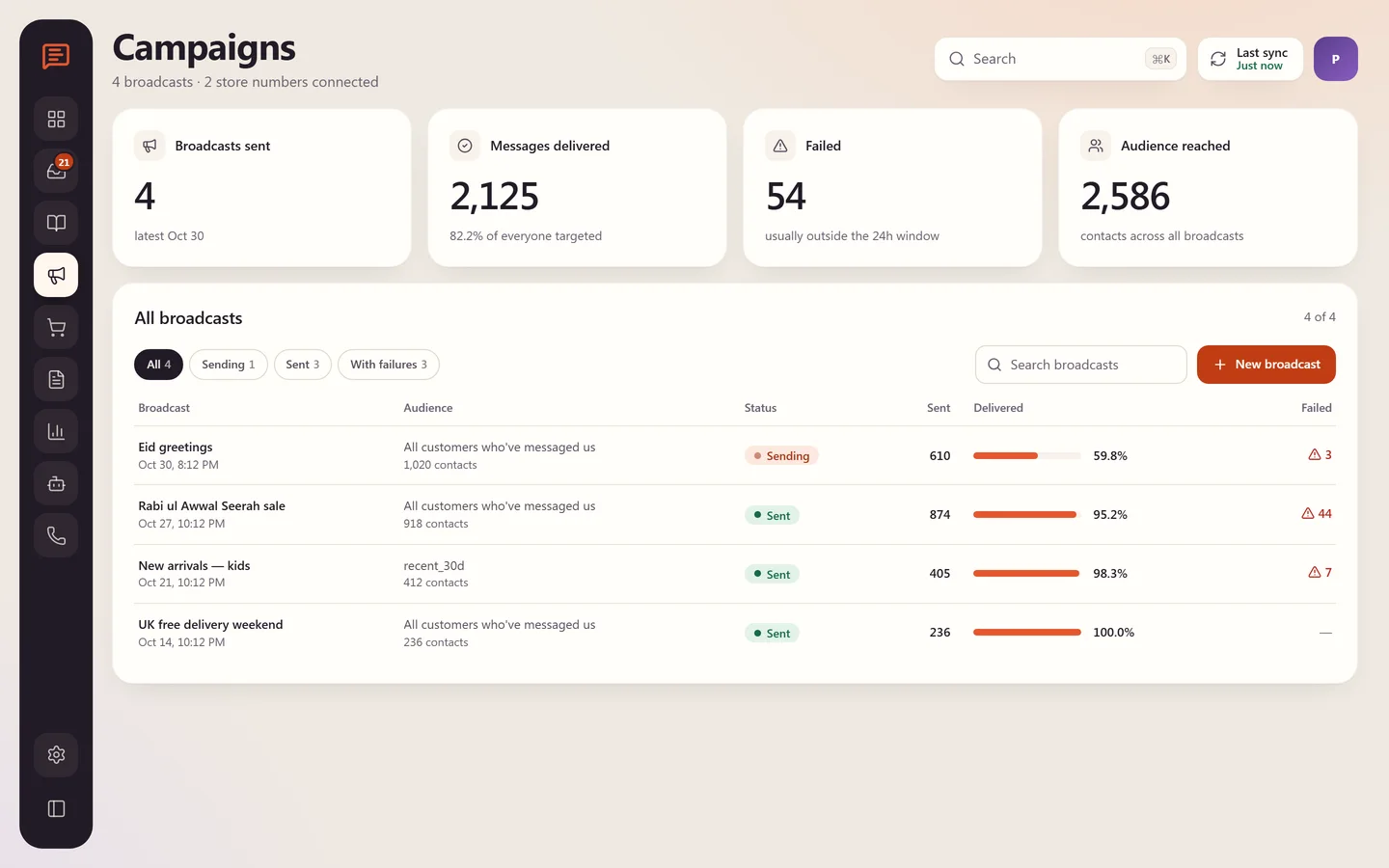
- 7
Step 7
Know what's working
Messages sent, delivery rate, reply rate and median first response, plus who replied: the bot, the team in the CRM or the team on the phone app.
WhatsApp CRM · Analytics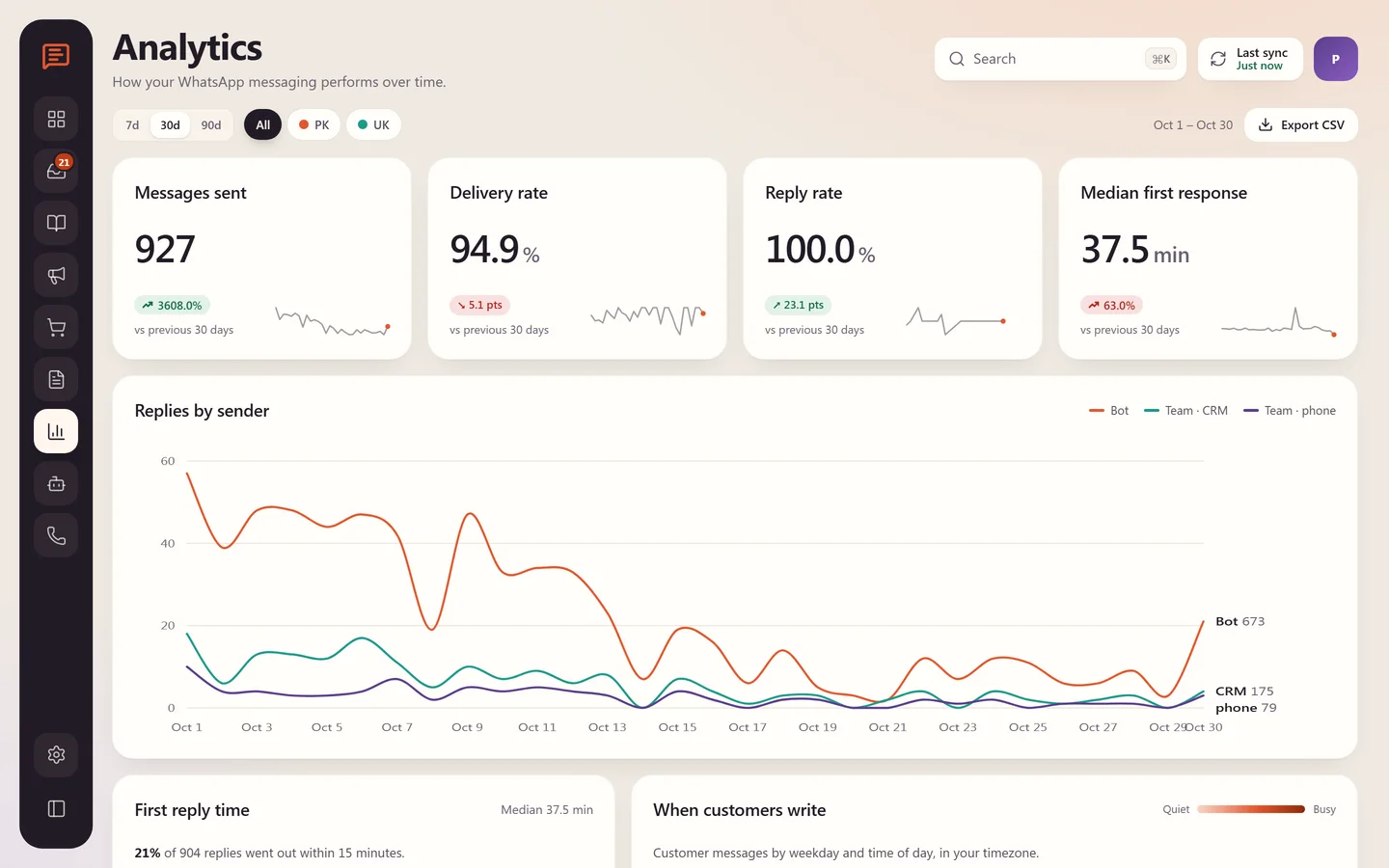
What the market charges
Renting it every month, or owning it once.
The same job with apps, per month
Meta's per-message fees apply on every option. On top, apps charge per plan and per extra user (Wati Pro: +$24 per user a month).
Prices from each app's Shopify App Store listing or the vendor's pricing page, checked 26 October 2026, monthly billing unless noted. Tap an app to check it yourself.
Our model
One-time buildfrom $100
No monthly app subscription. Scope and final price agreed before work starts.
Running cost: Hosting and database, about $45/mo on professional plans, plus Meta's WhatsApp message fees, which every option pays.
- Built around your exact workflow
- You own the code and the data
- Additions and revisions quoted separately, only when you need them
- stores behind one inbox
- 4stores behind one inbox
- first replies from the AI assistant
- 24/7first replies from the AI assistant
- from first message to live
- ~1 monthfrom first message to live
- per seat, add the whole team
- $0per seat, add the whole team
What we built
Every pain point, answered.
- 01
Shared team inbox
Real-time chats with assignment and status, the 24-hour window shown on every chat, voice notes, images, video and PDFs.
- 02
AI sales assistant
Searches books with live Shopify stock and ratings, creates checkout links, tracks orders by number and email, and hands over to a human when needed.
- 03
Book-cover recognition
A customer sends a photo of a cover, the assistant finds the book and tells them if it's in stock.
- 04
Customer panel
The customer's Shopify history next to every chat: spend, orders, returns and addresses.
- 05
Broadcasts & cart recovery
Approved template broadcasts and abandoned-checkout reminders with the customer's own cart link.
- 06
Bot controls
Turn the bot on or off, test it on chosen numbers, set the tone and word limit, without a developer.
- 07
Live overview
Today's numbers on one screen: new contacts, delivery rate, chats answered by the bot, carts waiting and messages sent.
- 08
Analytics that answer questions
Delivery and reply rates, median first response, and who replied: the bot, the team in the CRM or the team on the phone.
- 09
Templates with approval status
Every WhatsApp template with its Meta status (approved, waiting or rejected), ready to use in campaigns.
Inside the system
Real screens, sensitive data hidden.
- WhatsApp CRM · Templates
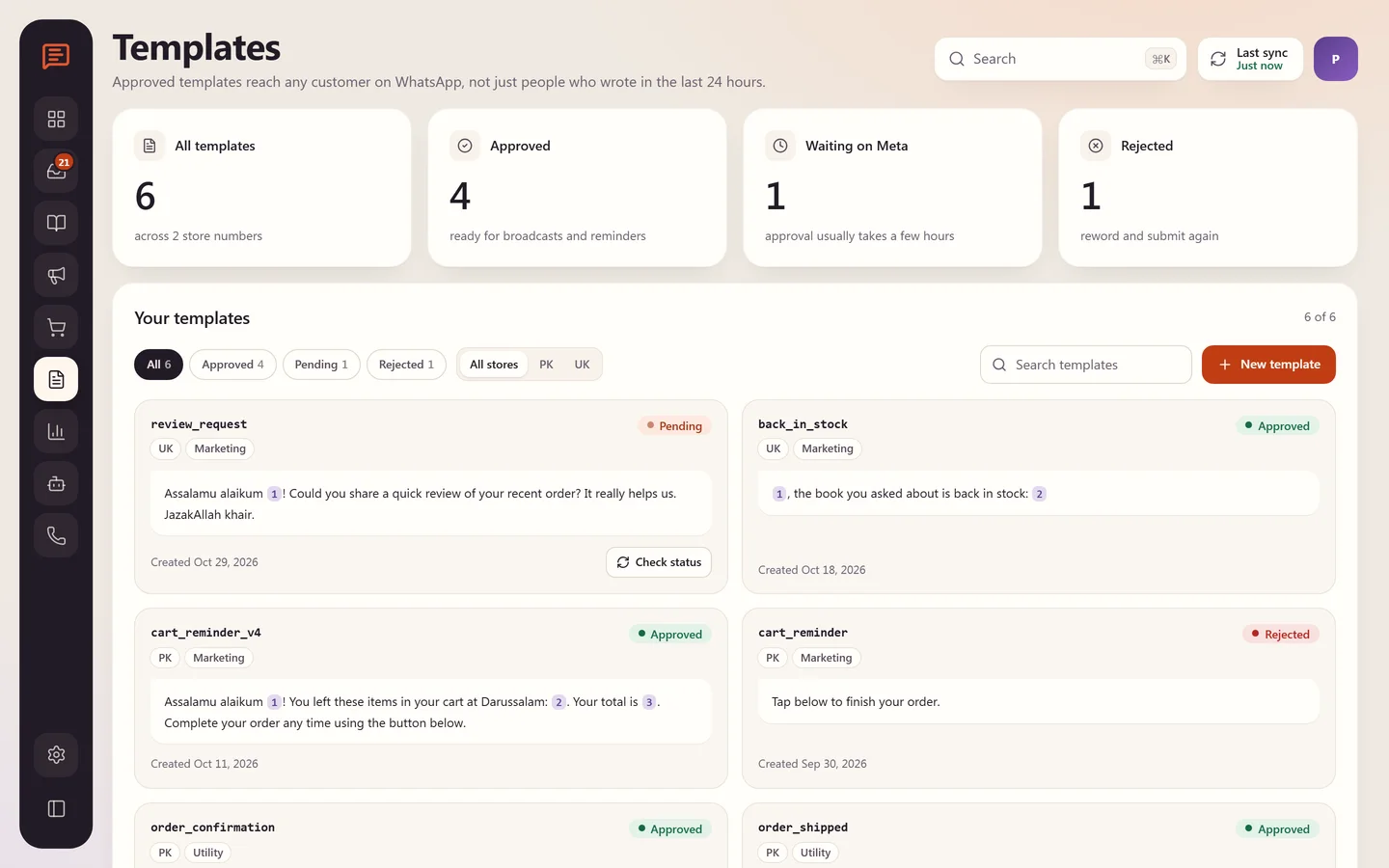
Message templates with Meta approval status (sample data)
Under the hood
Built properly, and kept secure.
Architecture
- Official Meta WhatsApp Cloud API in coexistence mode, so the number still works in the phone app.
- Webhooks land in a Supabase edge function, stored in Postgres, pushed live to the web app.
- AI replies run server-side with Claude, using tools for stock, orders and checkout links.
Security
- Every Meta webhook signature verified, unsigned requests rejected.
- Tokens and keys server-side only, never in the browser.
- Row-level security on conversations and customers.
Tech stack
- TanStack Start
- React 19
- Supabase
- Edge Functions
- Meta WhatsApp Cloud API
- Claude AI
- Shopify Admin API
Build time: About 1 month
More custom systems
Other things I've built from scratch.
Darussalam
Inventory Dashboard
Stock by store and location, a ledger of every change, sales and dead-stock reports, all in one place, built around how the team actually works.
See the buildCakes by Shannon
Custom Cake Ordering App
Customers describe their dream cake, the baker sends a quote, the deposit and balance are paid through Shopify, and every order's status is tracked in one place.
See the buildMuslim Creator Network
Creator Management Platform
A public website, a creator portal and an admin portal on one app: applications, verification, campaigns, assignments and payments, in three languages.
See the buildPOSTED
Subscription Operations Backend
Every paid Shopify order becomes a membership with its monthly letters, recipients, labels, renewals and refunds, managed inside Shopify Admin.
See the buildFPT Sportz
Jersey Personalizer
Shoppers pick a player or type their own name and number, and watch it appear on the real jersey in the club's own lettering, shaded into the fabric, not pasted on top.
See the build
Start a project
Get a free audit of your store.
Send your store link and what you're aiming for. Within 48 hours you'll get a short video with the biggest wins for conversion and speed. No obligation.
What you get, free
- Your top 3 conversion leaks, with fixes
- Mobile speed check and what's slowing it
- A clear quote if you want me to do the work